How general contractors give clients visibility into a project
Answer: General contractors give clients visibility by sharing the same five things every week: progress, schedule changes, decisions waiting on someone, inspections and costs. The strongest approach is a shared job view the client can open any day, backed by a short weekly report, so the client stops chasing the PM and nobody rebuilds the update by hand.
Why owners chase updates
The owner's rep calls the PM. The PM calls the super. The super texts back a photo and a guess. By the time the answer reaches the owner, three people have rebuilt the same update, and it's already a day old.
Owners don't chase because they distrust you. They chase because they have their own boss, their own lender or their own tenant asking for a move-in date. When they can't see the job, the phone is the only tool they have.
That cost lands on your side. Project teams lose hours to status calls. Leadership hears about a slipping date from the client instead of from the job. A change order sits for two weeks because the person who has to sign it didn't know it was waiting on them.
Visibility fixes this when it answers the client's questions before they ask.
What clients actually want to see
Most clients don't want your daily logs, RFIs or submittal register. They want a short, current answer to five questions.
Progress
What got done this week and what's next. A few captioned photos tied to real line items do more than a long narrative.
Schedule changes
Not the whole schedule. What moved since last time, by how many days, and why. For example: "Wall inspections moved +5 days (Aug 23 to Aug 28) since v2."
Decisions waiting on someone
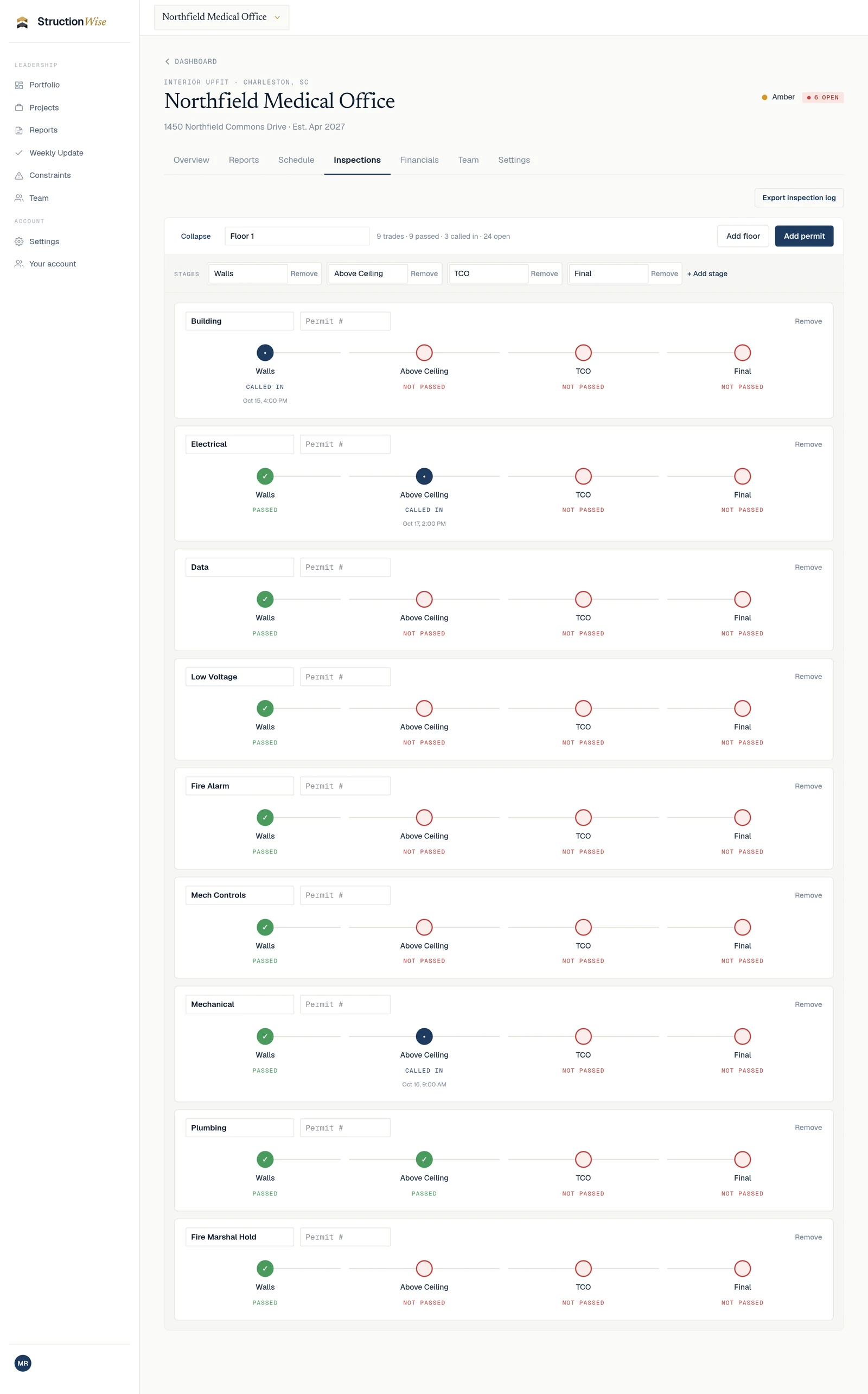
The open items holding the job, who each one is waiting on and how long it has been open. A ceiling grid selection that has sat with the owner's rep for about two weeks is exactly what the client needs to see, early.
Inspections
Which inspections are called in, scheduled or passed, by trade and stage. Clients planning a TCO or move-in care about above-ceiling and cover-up more than anything else on the job.
Costs
Original contract value, approved changes, pending changes and the revised contract value. Plus which PCOs are waiting on their signature.
If every update covers those five, in the same order, the client learns where to look and stops calling to ask.
Ways GCs do it today, and where each one breaks
Email updates
Fast to send and easy to lose. Each email is a snapshot, and the client has to piece the story together from a thread. When the PM is out, the updates stop.
Weekly reports
A good weekly owner report is still the backbone of client communication. The problem is assembly. Someone chases the super for photos, copies numbers from the PCO log, edits last week's deck and exports a PDF. It's accurate on Friday and stale by Tuesday. See how to build a weekly owner report your client reads in two minutes.
Shared drives
Folders give the client access to everything and answers to nothing. A client who opens a folder of 40 files still has to call to ask what changed.
Your PM system
Your PM system records everything for the people doing the work. That's its job. Most clients don't want that level of detail, and inviting them in often creates more questions than it answers.
The common gap: every method either shows too little (a snapshot) or too much (every record). Clients need the short version, kept current.
How a shared job view works
A shared job view gives the client a login to their own job, showing the same short view your leadership sees. A few principles make it work.
Scope it to their job
The client sees only their job, not your other work. Your execs see every job.
Read-only where it should be
The client can see constraints and inspections but can't change them. Your team stays in control of the record.
Control what they see before it's ready
A PCO still being priced shouldn't land in front of the client with half-finished detail. Show the number, name and cost until you send it, then the full detail once it's theirs to review.
Let them act where action belongs
The one place the client should act is signing. When a change order reaches them, they review it and sign it on the job instead of printing, scanning and emailing.
Keep the weekly report
The shared view doesn't replace the weekly report. It means the report confirms what the client could already see, instead of surprising them.
Doing this in StructionWise
Project clarity. Without the noise.
StructionWise puts general contractors, owners' reps and clients on the same page. Everyone gets a clear view of project progress, schedule changes, decisions waiting on someone, inspections and costs.
Here is what that looks like on a job today:
Clients and owner's reps sign in to their own job. Client and outside stakeholder access is at no extra charge. A CM gets in by being added as an Owner's Rep.
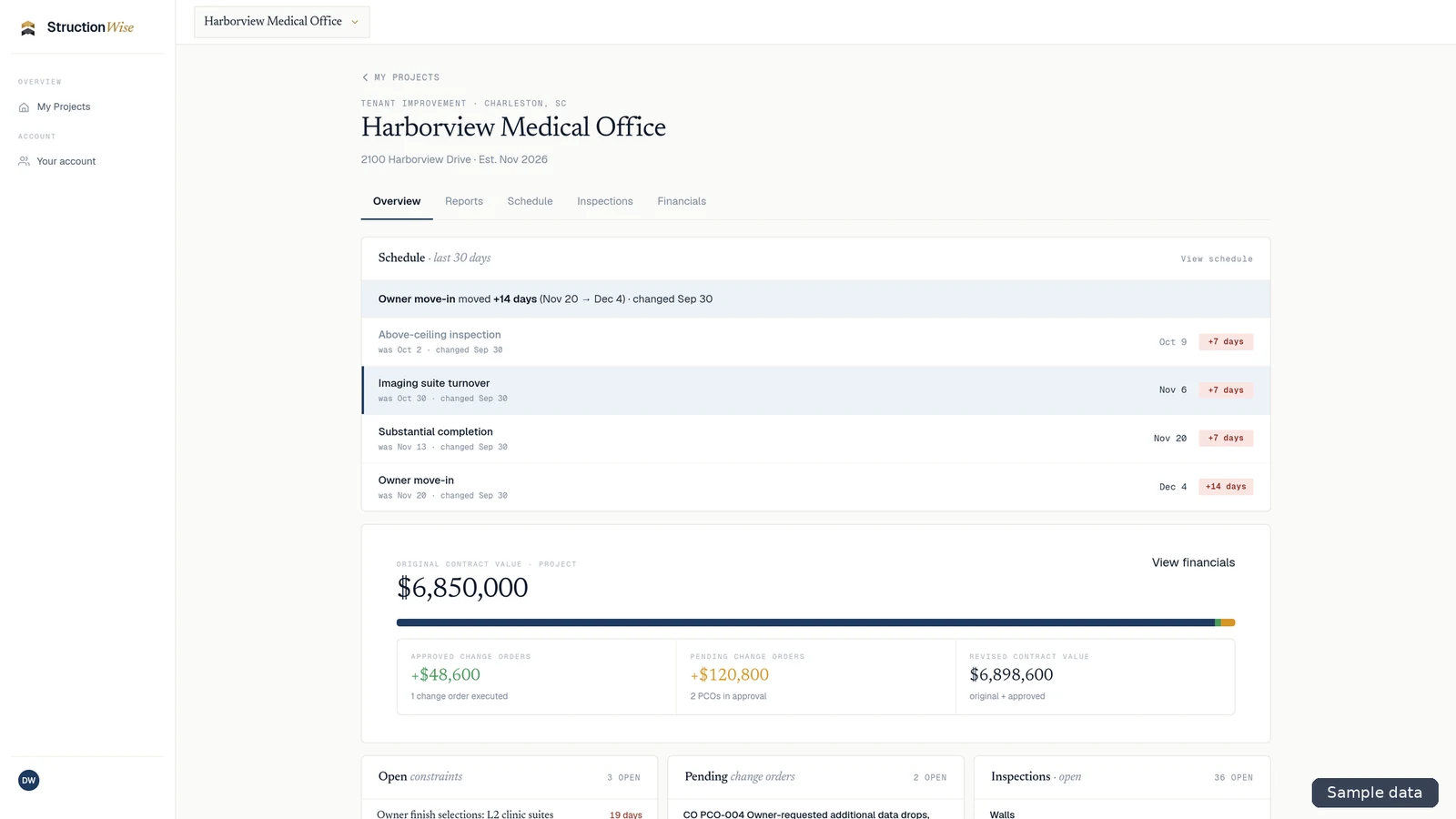
What a client sees when they sign in to their own job. Sample data from the StructionWise sample account. Constraints show who they're waiting on and days open, with aging colors: green for 0 to 6 days, amber for 7 to 14, red for 15 and up. Clients see them read-only. More in constraint logs that show who the job is waiting on.
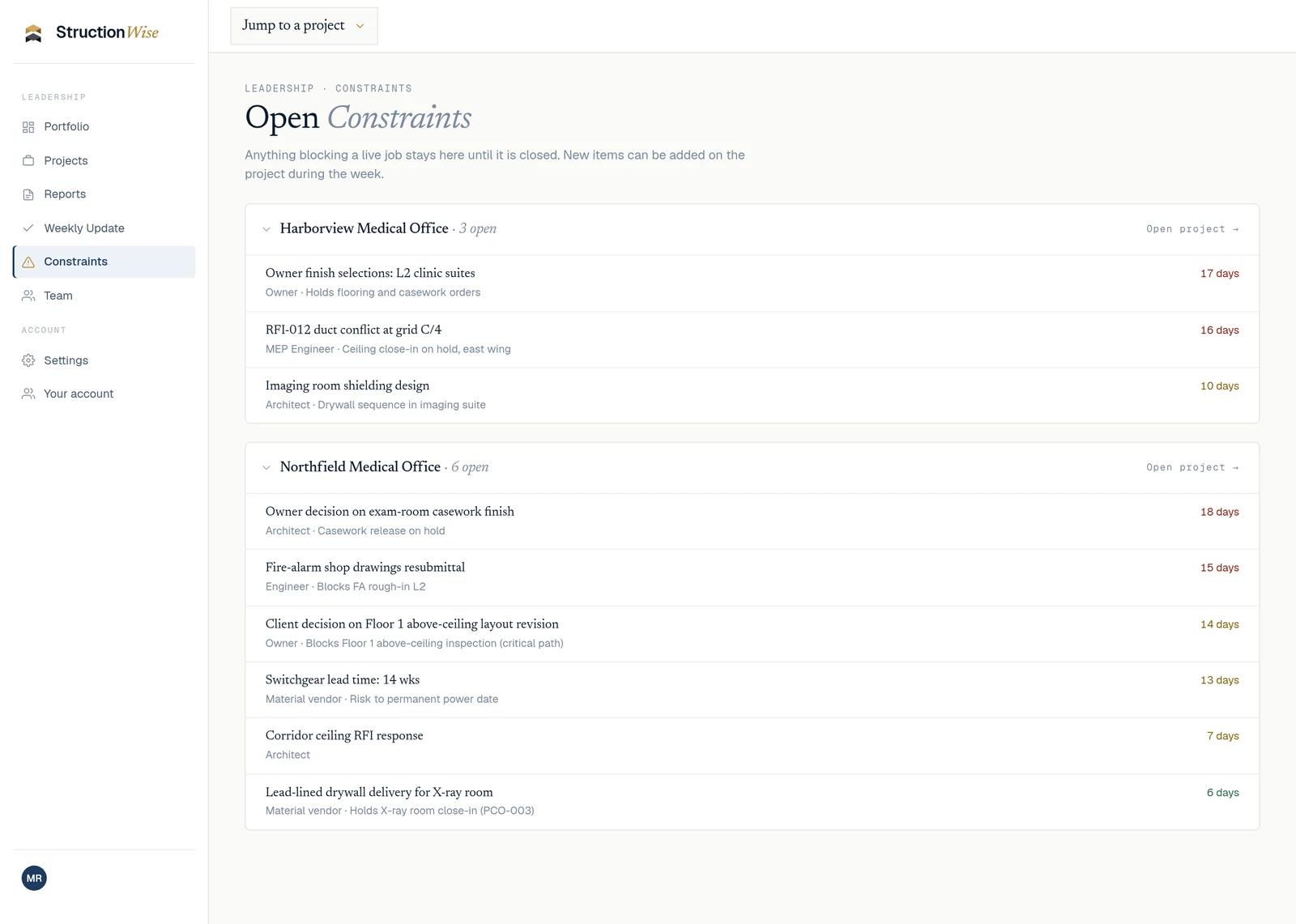
Inspections sit in a matrix by trade and stage. Clients see inspection status and the called-in date and time, read-only. Subs record call-ins from a private link with no login, and your team accepts each one. See an inspection tracker your subs can update without a login.
Change orders are routed, approved and tracked in one place, using the PCO documents you already produce. Until a PCO is in the client's court, they see it only at a high level: its number, name and cost. Once it reaches them, they see the full details and can review and sign it with their own PIN. The job tracks original, approved, pending and revised contract value. More in how to keep a PCO log your client can actually read.
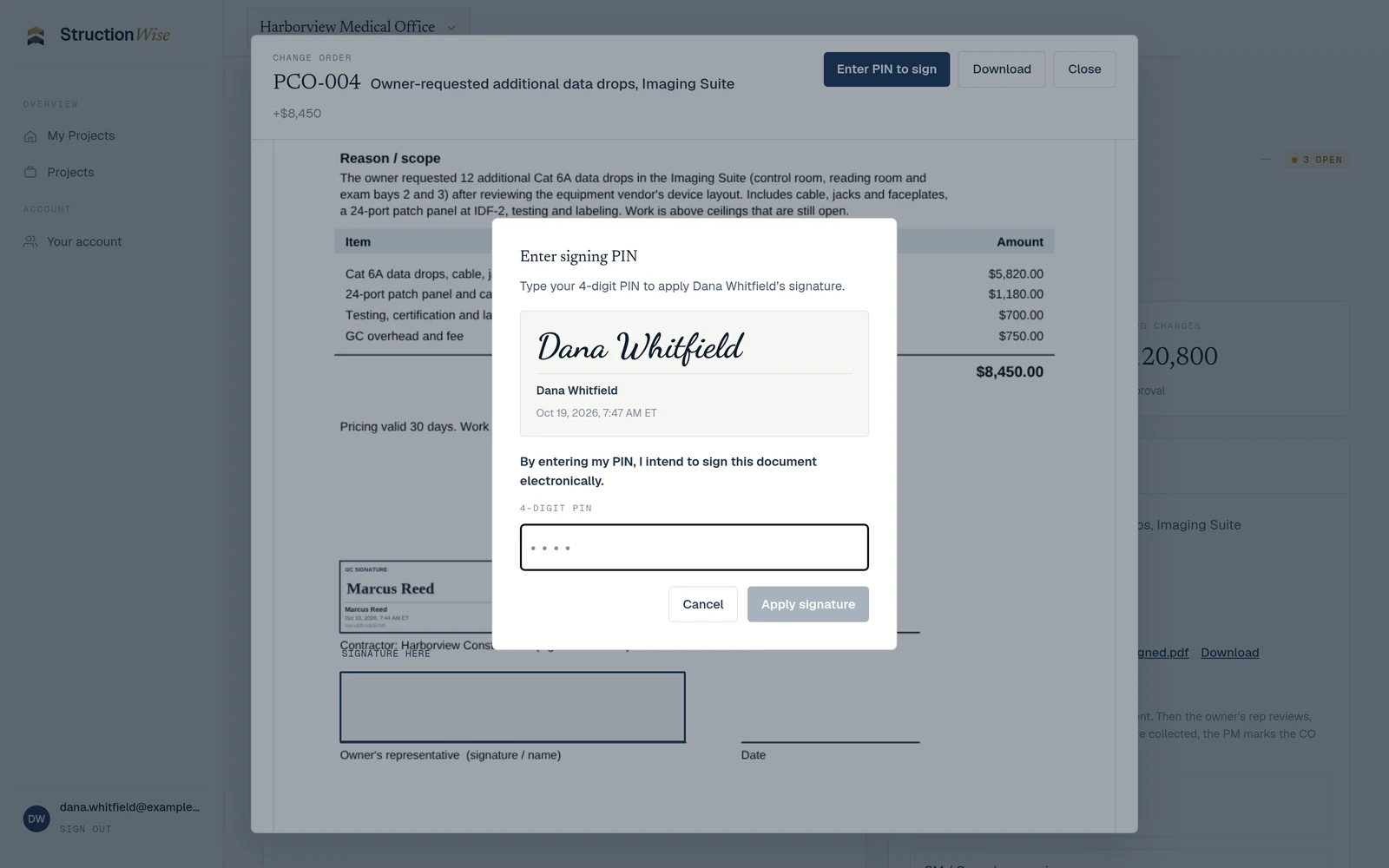
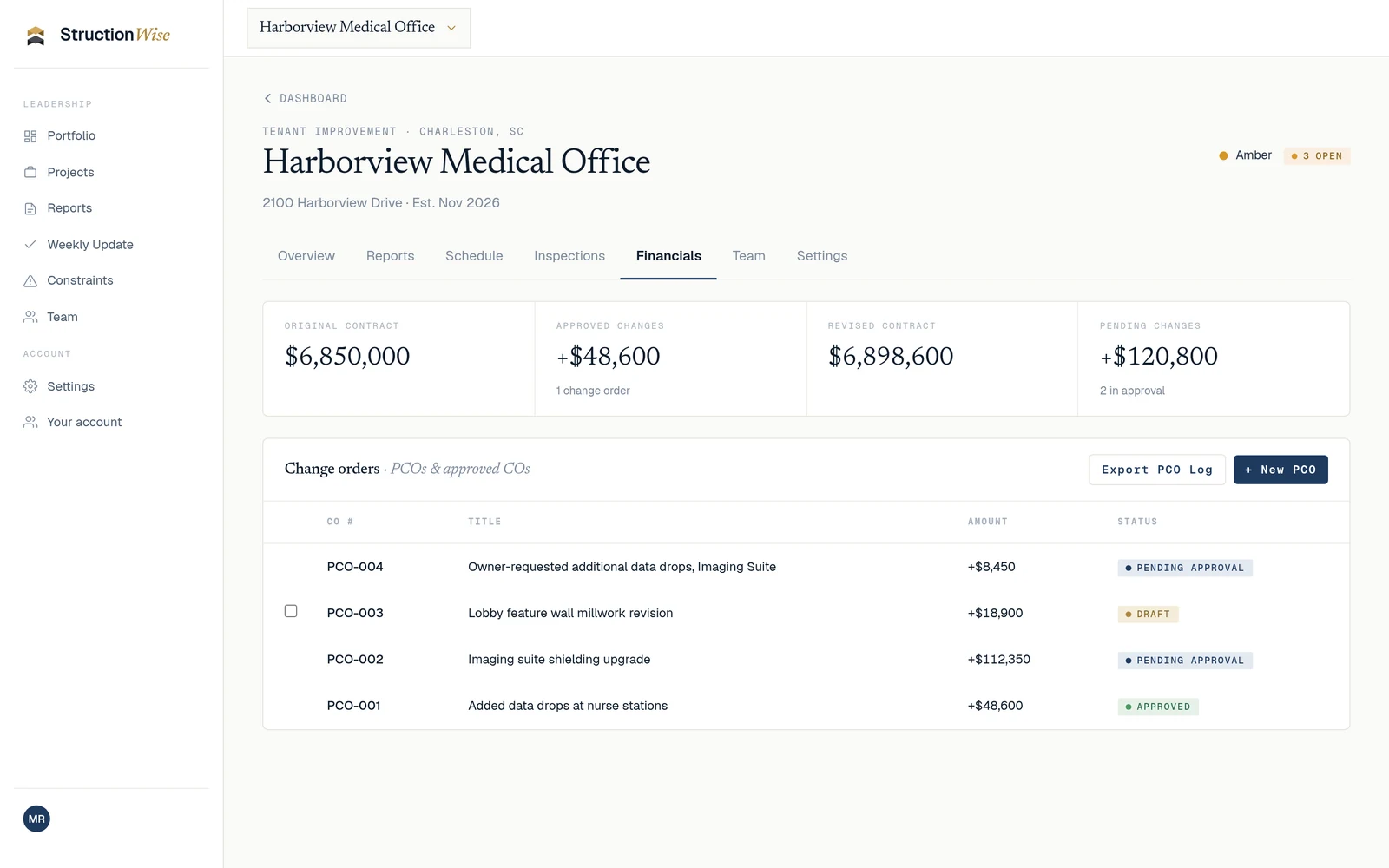
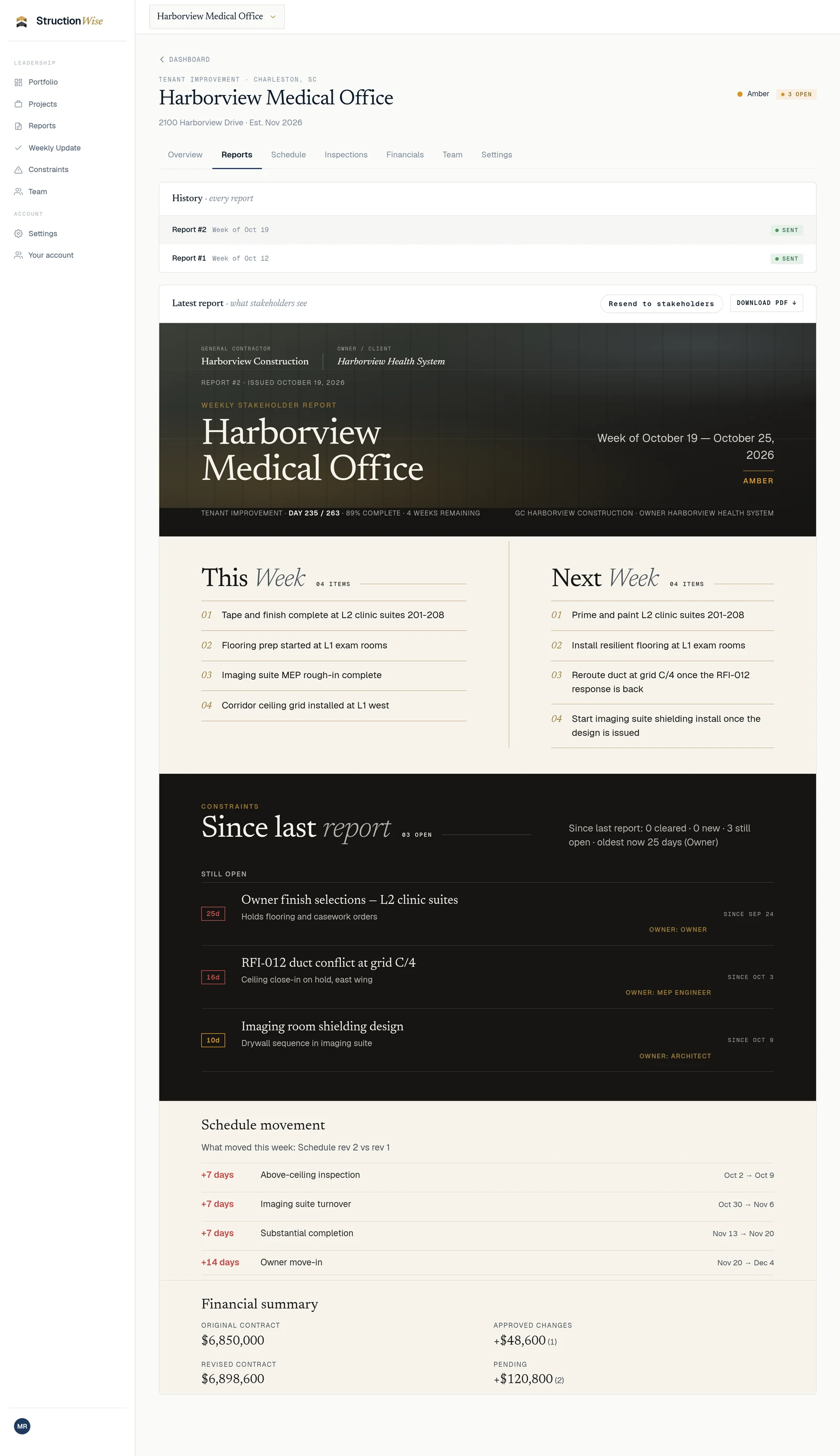
Demo data from the StructionWise sample account. Fictional figures and signature UI. Clients view the weekly owner report inside their login. It's assembled from the updates already on the job, your office reviews it, and your team sends it. Clients read it; they don't approve it.
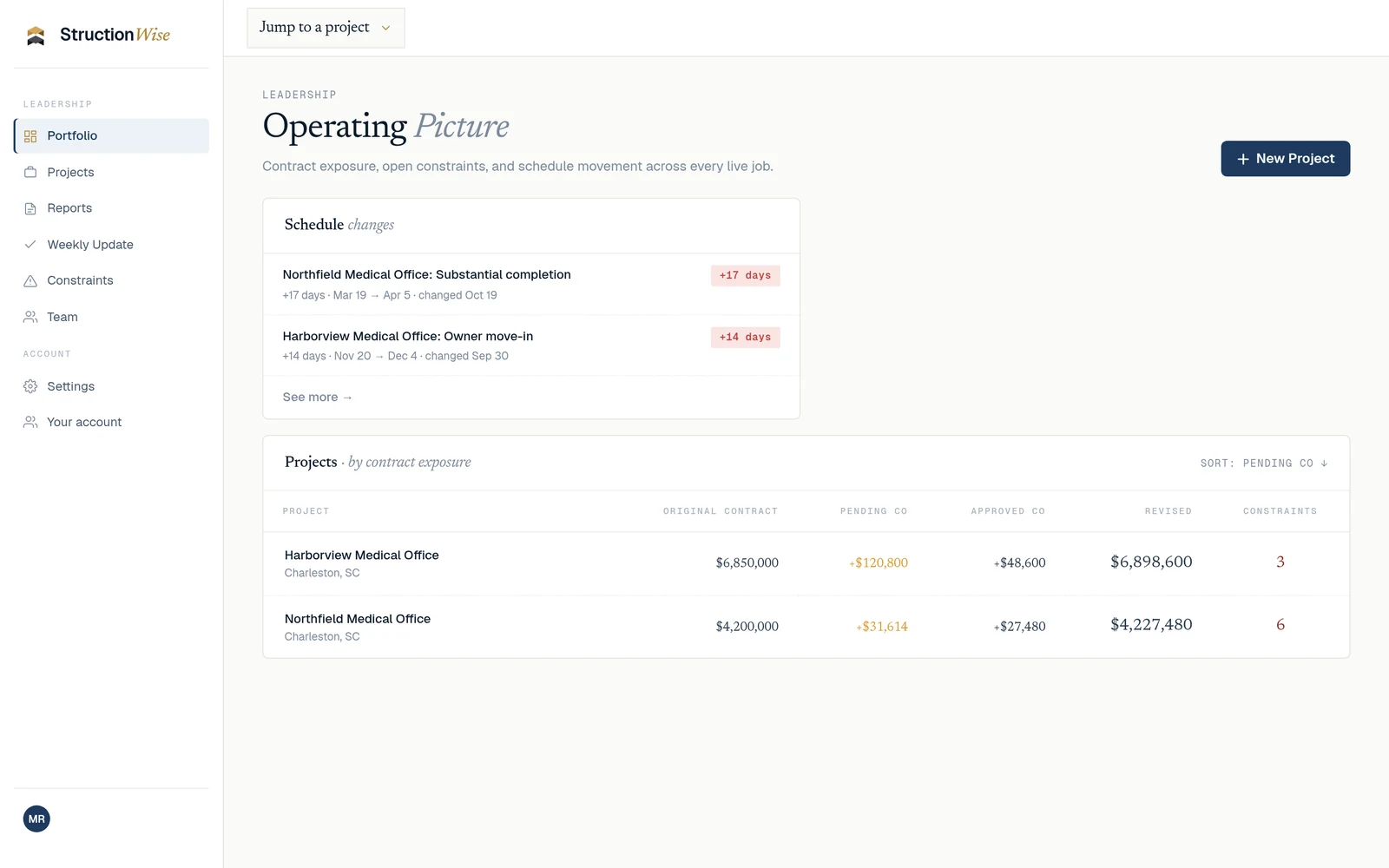
Leadership gets high-level visibility across the whole portfolio, so you see which jobs need you without calling every PM. See oversight for commercial GCs on tenant improvement jobs.
StructionWise is not a PM system and doesn't replace yours. Your team logs constraints, inspections, PCOs and schedules in StructionWise itself.
Fewer surprises. Clearer accountability. Stronger client relationships.
Start now · Book a 15-minute intro · Click through the sample account
FAQ
How do general contractors give clients visibility into a project?
By sharing progress, schedule changes, decisions waiting on someone, inspections and costs on a regular rhythm. The most reliable setup is a shared job view the client can open any day, plus a short weekly report the GC reviews and sends.
What should a GC share with the client, and what should stay internal?
Share the short view: what moved, what's blocking the job and who it's waiting on, inspection status and contract values. Keep daily logs, internal pricing work and draft PCO detail on your side until it's ready.
Should clients be able to edit anything?
No. Clients should see constraints and inspections read-only. The one place they act is reviewing and signing change orders sent to them.
Does giving clients a login cost extra in StructionWise?
No. Client and outside stakeholder access is at no extra charge. StructionWise is priced by active jobs, never by seats.
Does a shared job view replace the weekly owner report?
No. The report still matters. The shared view means the report confirms what the client could already see instead of surprising them.
Bring a few of the jobs you're running. We'll walk through them together.